
SMS Dashboards Main Functions
After logging into your sms-dashboard.octella.com account, you'll have several options available. This guide will walk you through the most commonly used actions, such as sending a message and checking your inbox for received messages.
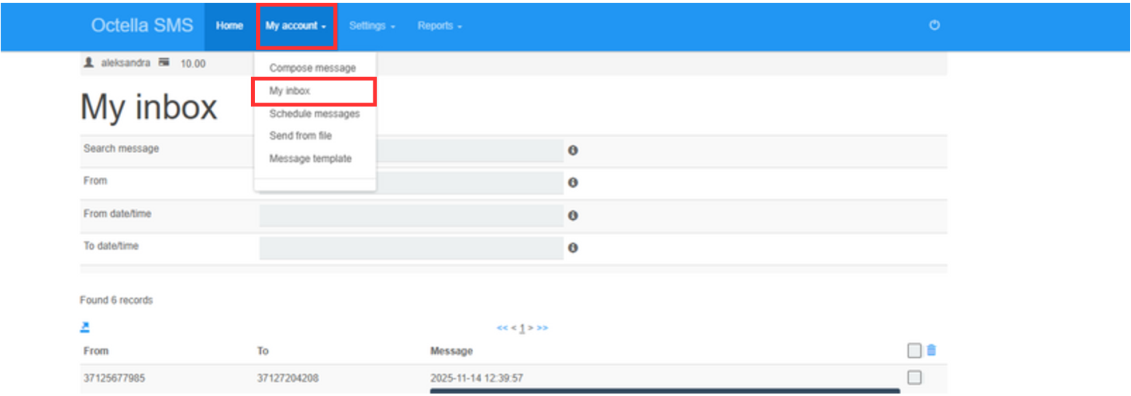
To view all received messages, you can simply stay on the homepage, as it's set up as your inbox. You can also click on "My Account" and select "My Inbox".
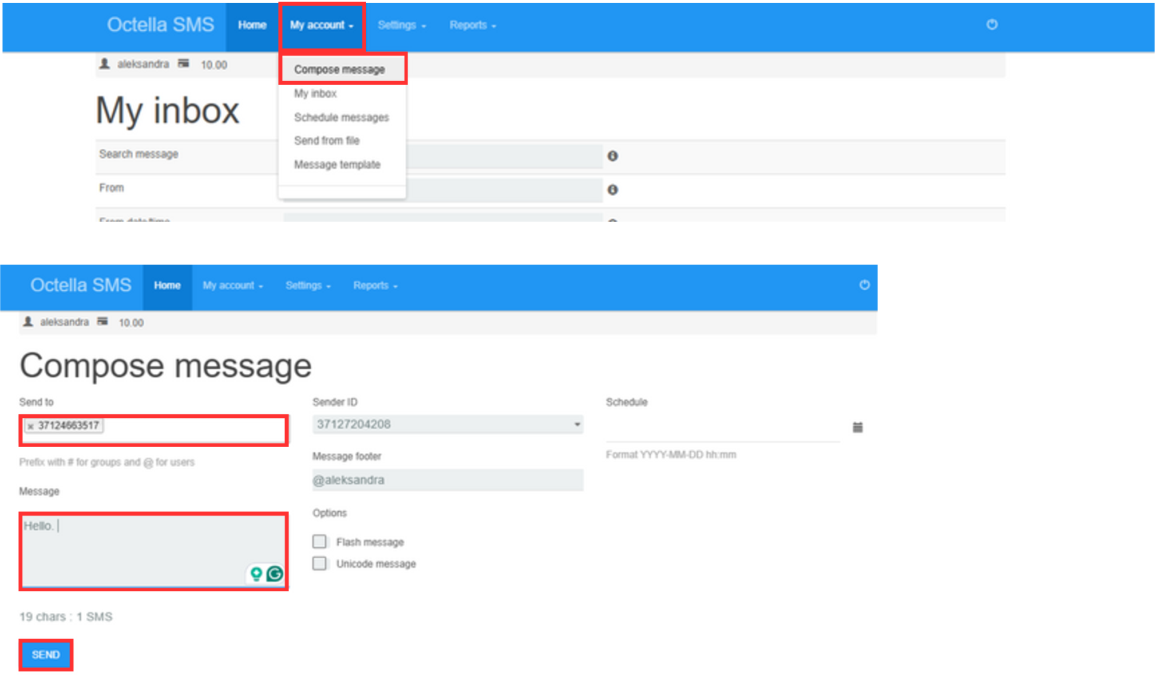
To write a message, click on “My account” and choose “Compose message”. Afterwards enter the number with country code without the "+" sign in front of the number, enter the message and click “Send”.
No comments to display
No comments to display