
Caller ID Groups
Creating Caller ID groups give agents opportunity to reach out subscribers using specific virtual number(s). This feature is useful for companies to separate different teams numbers that i.e. might work with same region.
Team A has to process calls with a specific number of pool of the numbers.
Team B has to process calls with other number(s).
To create specific CallerID rules, please access Settings menu, select More and click on CallerID Groups section.
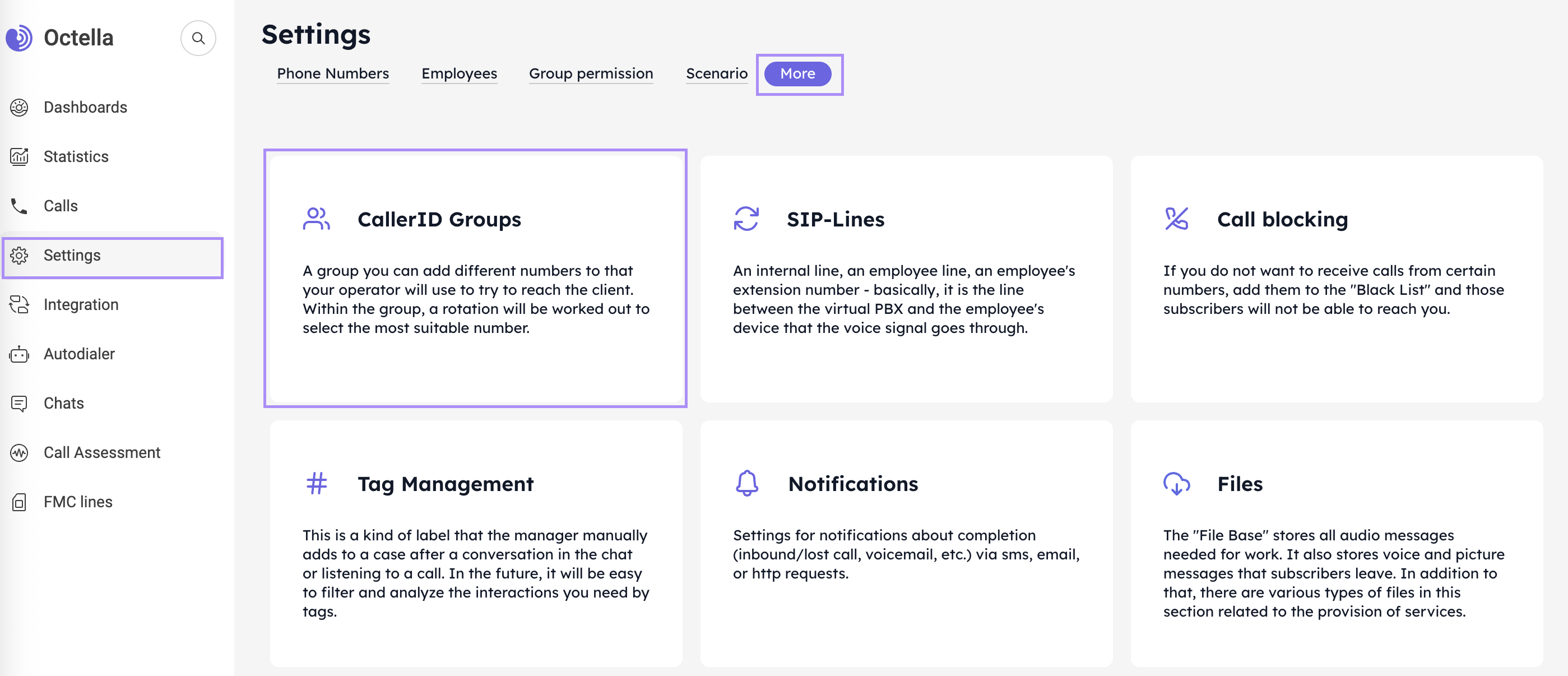
To create a CallerID group follow these steps:
- click on Add a group
- always use letter g to apply and ID for specific CallerID group. For example:
g6 for Team processing Norway Debt Collection calls
g7 for Team processing Norway Retention calls - input a CallerID group Name.
- add Employee(s)
- add a Group
CallerID group can include specific Employee or specific Employee Group. Also both can be included in the CallerID rule, the Employee(s) and Employee Group(s). - add Numbers available for this CallerID rule.
- click on Save button.
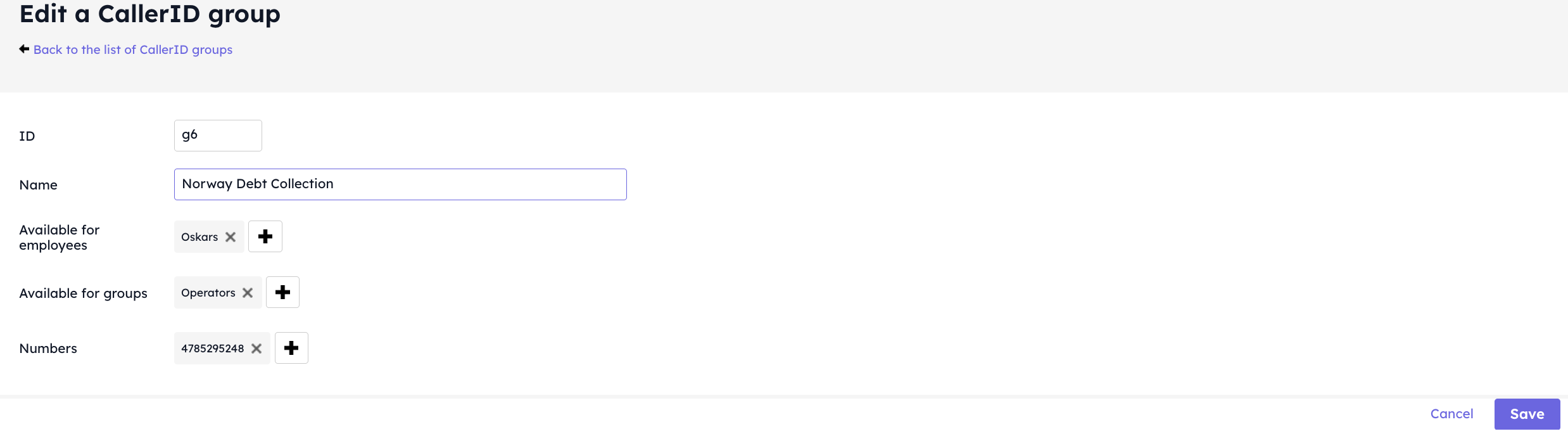
How to call Subscribers using CallerID group
For Operator to use the CallerID group rule the group ID has to be added to the Subscriber number, when dialling. This will allow to use specific virtual number of pool of numbers for reaching out subscribers.
Example: 4722111710g6.
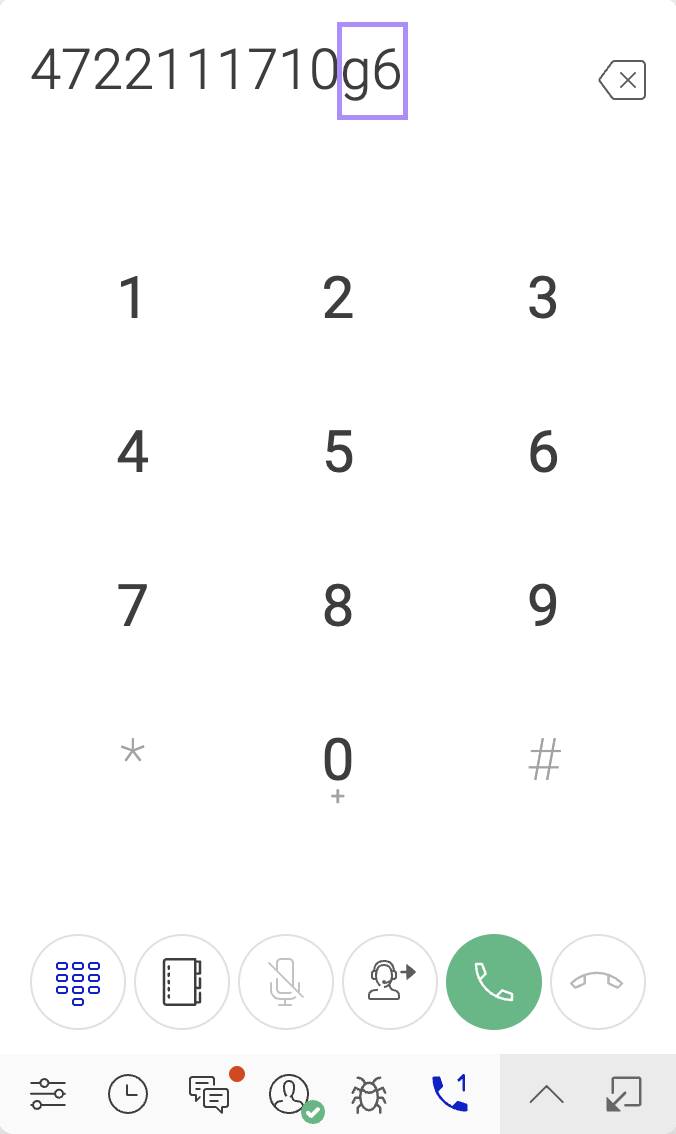
By adding CallerID by the end of the number the system will use virtual number for outbound call from selected CallerID group. In case of multiple Caller ID groups, the Operator needs to change CallerID.
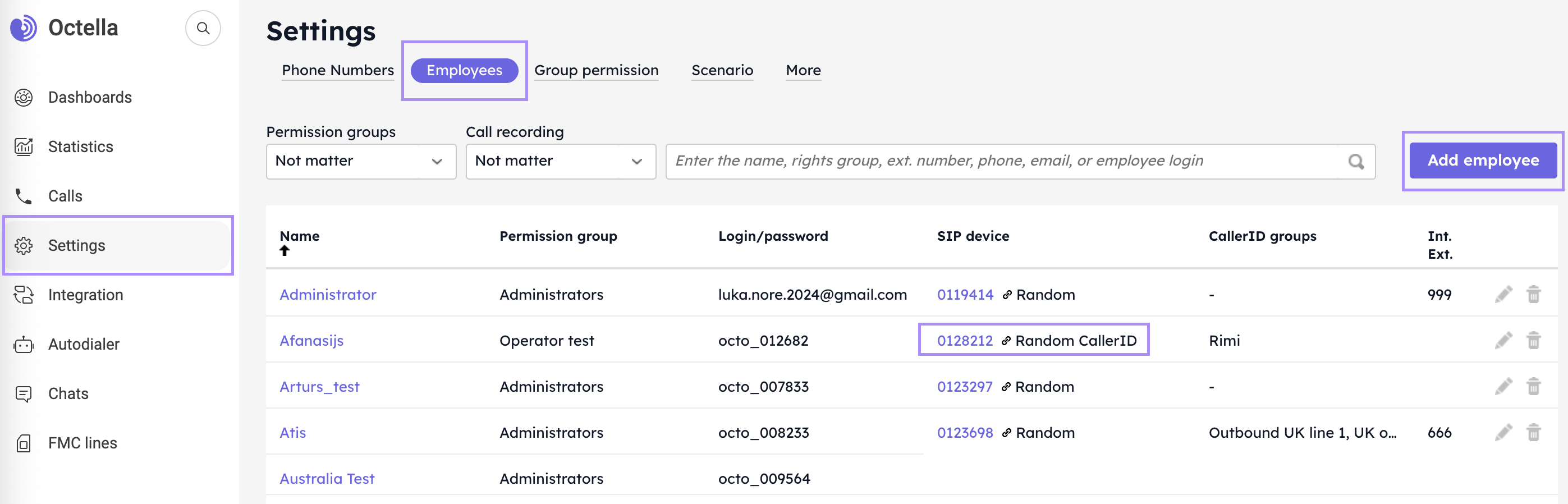
For proper use of CallerID groups please adjust SIP device settings in Employees section to Random CallerID.
No comments to display
No comments to display