
Group Permission
Group Permissions helps to set different access rights to service data and functionality across different user groups.
By default, there are two groups: Administrators and Operators.
The Administrator group grants users full access.
By default, every new employee is assigned to the Operators group.
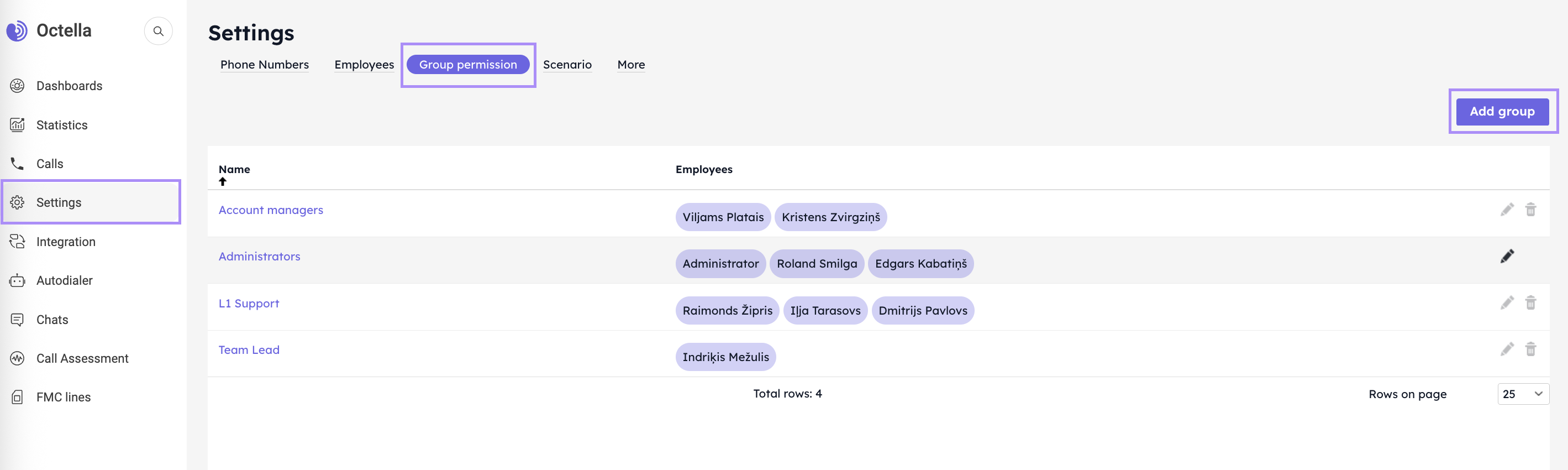
You can create as many groups as needed by clicking the Add group button.
- Start with a Group Name.
- Select the Employees to include in the group.
- Grant an access to other groups (if necessary for monitoring reasons).
- Grant an access for Listening to calls of other Groups.
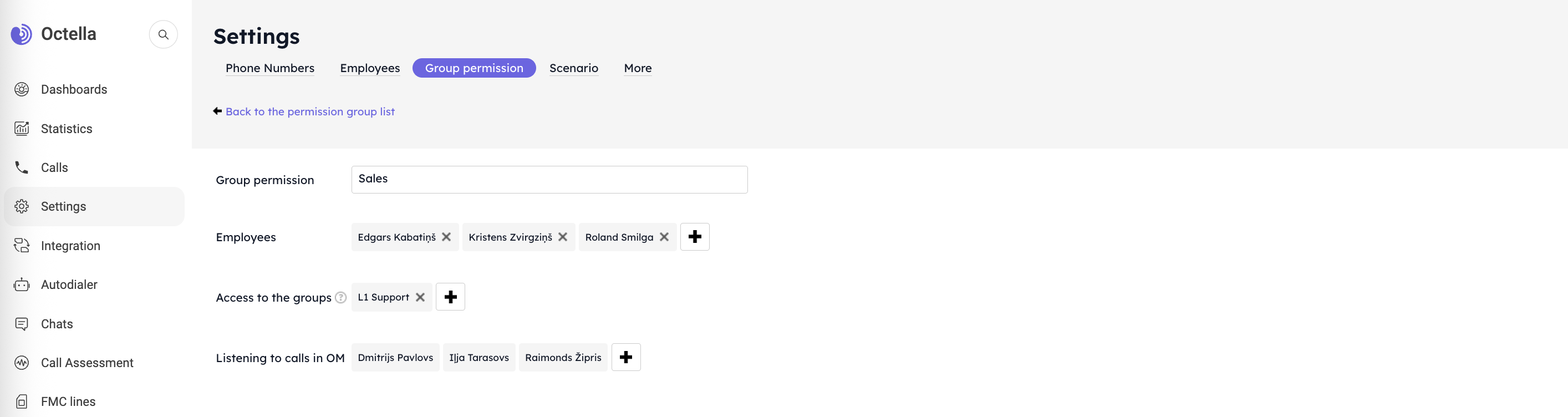
Remarks: Above settings show the configuration of Group named Sales, that including three Employees and has an access to L1 Support group, which includes three group members.
If required to supervise the employees, the best way is to create a group named "Team Leads" and grant access to the group or groups that needs to be monitored.
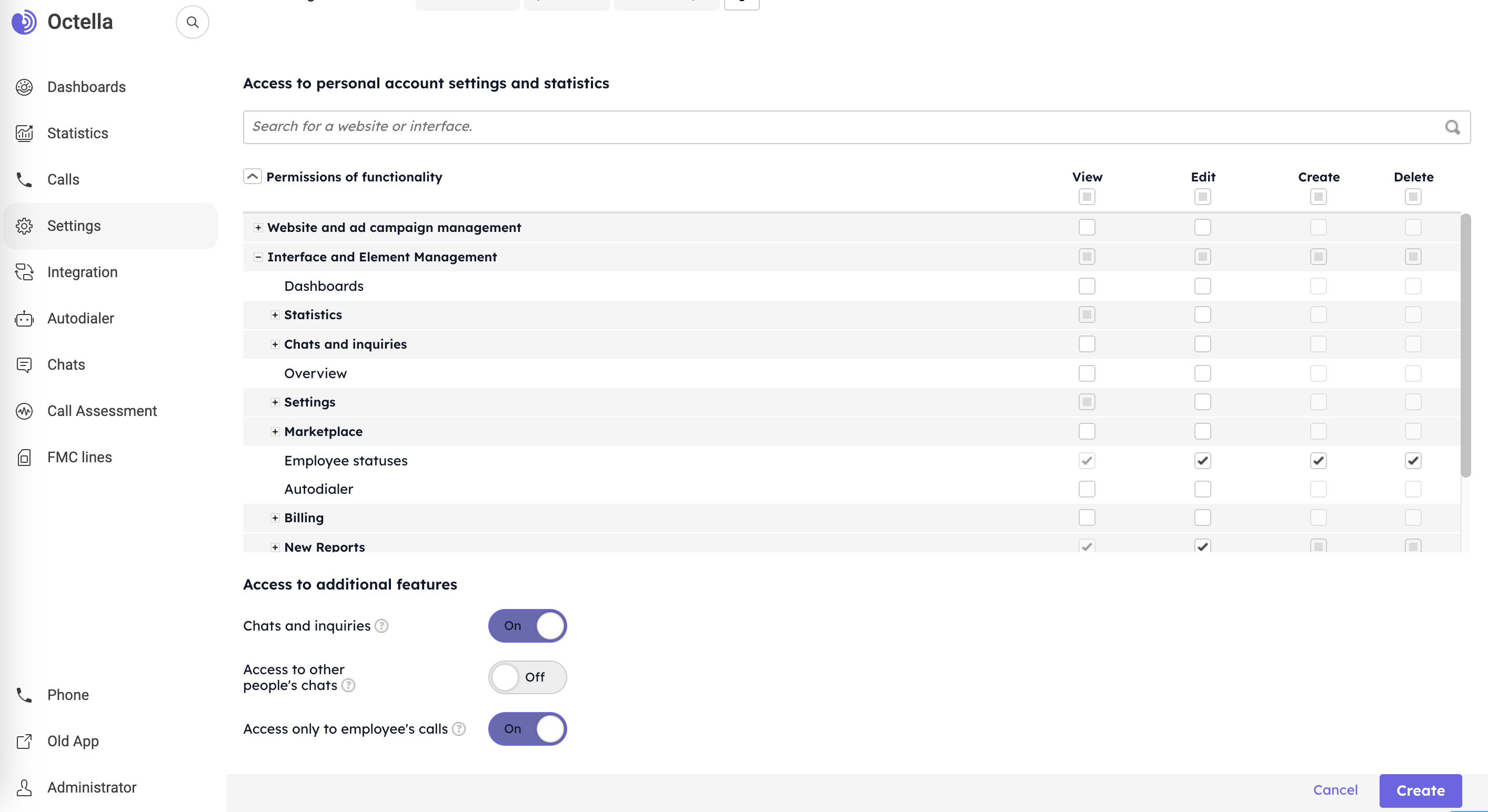
Prior to create a Group Permission, the last step is to grant specific access to account settings.
No comments to display
No comments to display